AI Photo Retouching vs. Manual Dodge and Burn: Why High-End Brands and Photographers Still Hire Human Retouchers
If you run an e-commerce brand, manage a jewelry catalog, or shoot commercial portraits, you have likely tested automated AI retouching plugins. On the surface, one-click skin smoothing and automated background cleanup promise to save hours of post-production time.
However, step into any high-end studio in New York, London, or Berlin, and you will notice a clear trend: luxury brands, macro jewelry photographers, and editorial portrait artists are moving back to dedicated human retouchers. When customers can zoom in up to 200% on a product page or inspect a campaign on a hardware-calibrated 4K display, algorithmic shortcuts immediately show their flaws.
Here is an honest, technical breakdown of AI photo retouching vs. manual dodge and burn, where automation fails in commercial workflows, and when investing in a dedicated retouching studio directly protects your conversion rates.
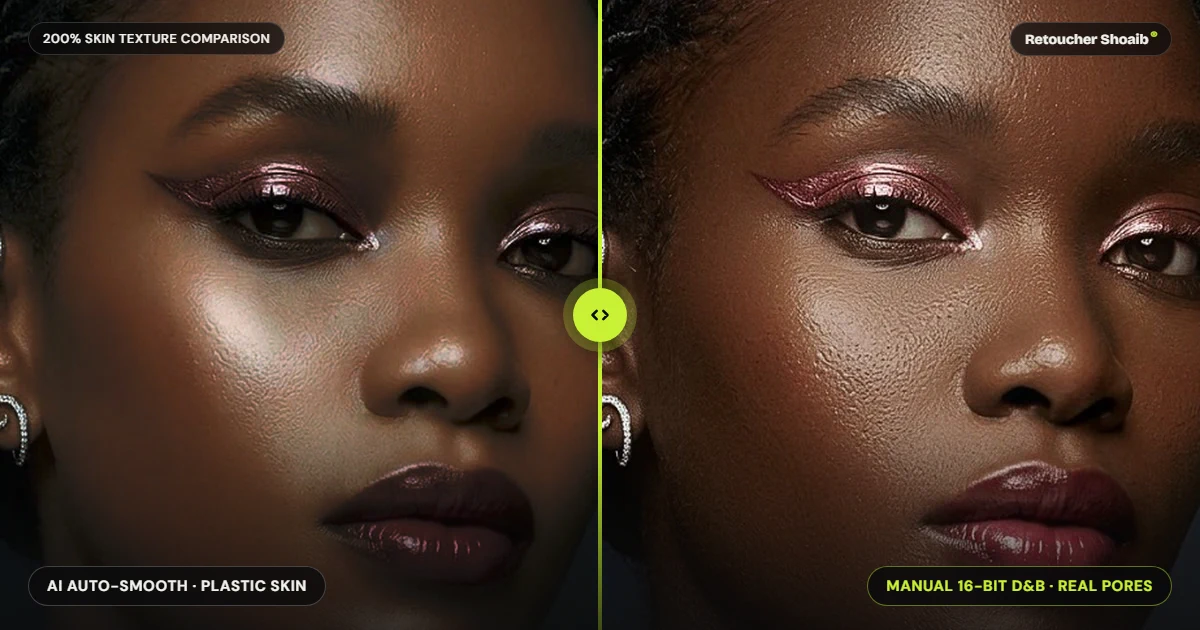
1. The Core Problem with AI Retouching in Commercial Photography
AI retouching tools work by analyzing millions of stock images and predicting what “clean” pixels should look like. Instead of working with the actual light and shadow captured by your camera sensor, generative algorithms overwrite original data with synthetic textures.
While this is acceptable for casual social media uploads, it creates three major problems for commercial clients:
- Beauty & Portraits Destroyed Micro-Texture in Beauty & Portraits Automated plugins frequently blur existing pores and lay a uniform, computer-generated “skin pattern” on top. Under close inspection, the subject loses anatomical depth, resulting in the flat, plastic look that art directors immediately reject.
- Color Management Shifted Color Profiles High-end commercial shoots rely on strict 16-bit ProPhoto RGB workflows to preserve subtle tonal transitions and accurate brand colors. Many automated cloud tools compress files down to 8-bit sRGB during processing, causing color banding in studio backdrops and inaccurate fabric or metal tones.
- Luxury Products Hallucinated Details in Macro Products When editing complex items like luxury watches, diamond rings, or electronic components, AI struggles to distinguish between dust, micro-scratches, and intentional design elements. It often smudges hallmarks, softens sharp metal edges, or dulls gemstone facets.
200% Zoom Loupe: AI Plastic Skin vs. Manual Natural Pores
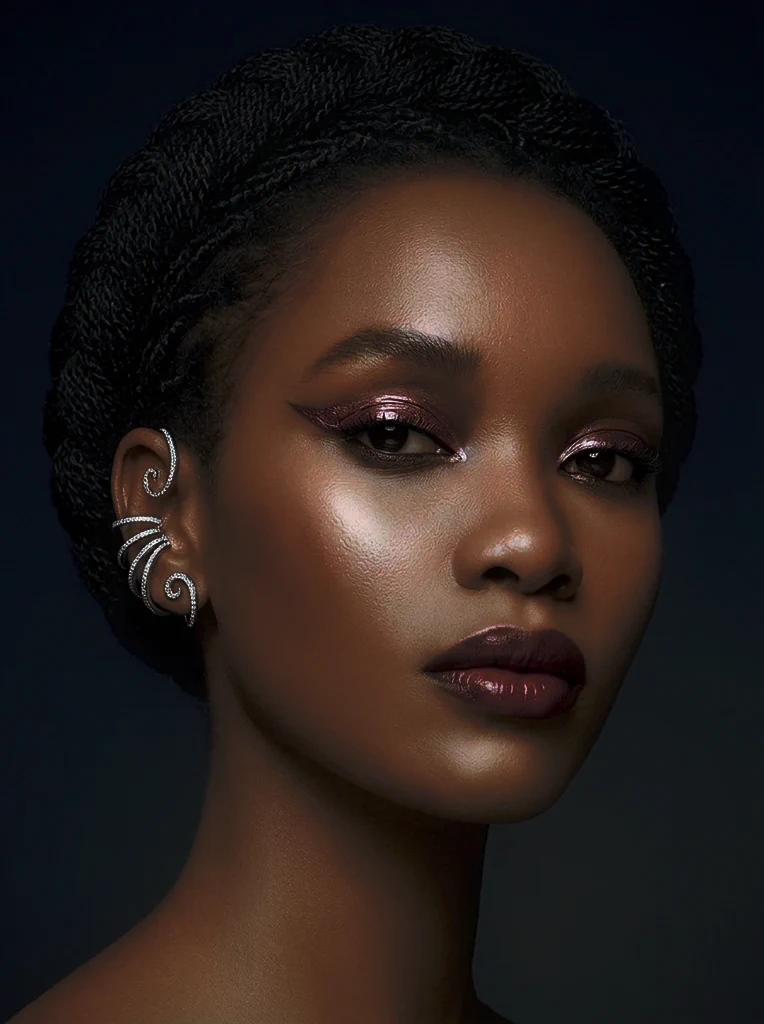 AI Auto-Smooth (Plastic)
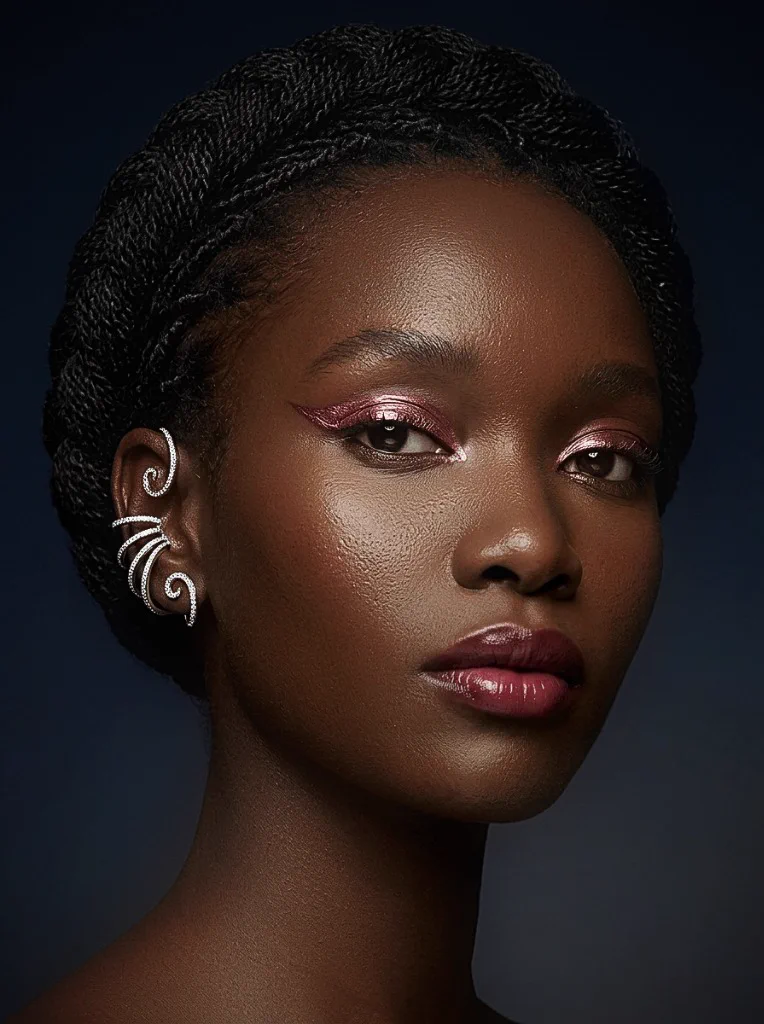 Manual 16-Bit D&B
2. How Manual Non-Destructive Dodge and Burn Protects Image Integrity
True high-end photo retouching does not rely on blurring, cloning over large areas, or applying heavy filters. Instead, the industry standard for editorial portraits, beauty campaigns, and commercial headshots is pixel-level manual Dodge and Burn (D&B).
What Happens in a Manual 16-Bit Retouching Workflow?
At Retoucher Shoaib, a senior retoucher works exclusively on neutral 50% gray layers or linked curve adjustment layers inside a 16-bit Photoshop environment, adjusting luminosity one pore and one transition at a time:
- RAW Processing for Maximum Dynamic Range Before entering Photoshop, Canon CR3, Sony ARW, Nikon NEF, or Phase One IIQ RAW files are carefully calibrated in Capture One or Adobe Camera Raw to recover highlight detail and establish accurate color fidelity on hardware-calibrated EIZO ColorEdge 4K monitors.
- Micro and Macro Dodge & Burn Blemishes, uneven pigmentation, and harsh under-eye shadows are corrected by manually lightening (dodging) dark spots and darkening (burning) bright spots to match surrounding skin. The original pore structure remains 100% intact.
- Controlled Frequency Separation (When Required) Used sparingly alongside D&B, advanced frequency separation isolates color and tone from high-frequency texture, allowing smooth lighting transitions without affecting skin, fabric, or product grain.
- Precision Color Grading Skin tones—from specular highlights to deep shadows—are unified so the earlobes, neck, hands, and face match seamlessly under studio strobes.
3. Side-by-Side Comparison: AI Plugins vs. Dedicated Studio Retouching
To help photographers, art directors, and e-commerce managers decide which workflow fits their project, here is how automated tools compare against our specialist-led studio team at Retoucher Shoaib:
| Feature / Deliverable | Automated AI Retouching Tools | Manual Studio Retouching (Retoucher Shoaib) |
|---|---|---|
| Skin Texture at 200% Zoom | Synthetic, repetitive, or overly smoothed | 100% natural pores and anatomical contour |
| Color Bit Depth | Often compressed to 8-bit sRGB | Full 16-bit ProPhoto / Adobe RGB preservation |
| Jewelry & Metal Reflections | Muddy gradients, lost facet sharpness | Hand-drawn pen-path clipping & crisp metal gradients |
| E-Commerce Consistency | Varies unpredictably from frame to frame | Strict adherence to brand style guides across 100+ SKUs |
| Layered File Delivery | Flattened JPEG / TIFF only | Clean, non-destructive layered PSD / TIFF upon request |
4. Category Breakdown: Where Manual Retouching Directly Increases ROI
Different commercial photography niches require distinct post-production techniques. Here is how specialized human retouching solves specific industry challenges and elevates brand conversion rates.
High-End Jewelry & Luxury Watch Retouching
Jewelry and horology photography is notoriously unforgiving. Macro lenses capture every fingerprint, studio reflection, and speck of dust on gold, silver, steel, and platinum.
Automated tools cannot perform accurate focus-stacking seam repairs or create realistic liquid-metal reflections across curved bezels and brushed links.
A specialized jewelry retoucher uses hand-drawn Bezier pen paths to isolate every prong, band, dial marker, and gemstone. Metals are rebuilt with symmetrical gradients and diamonds are color-corrected for maximum fire and brilliance.
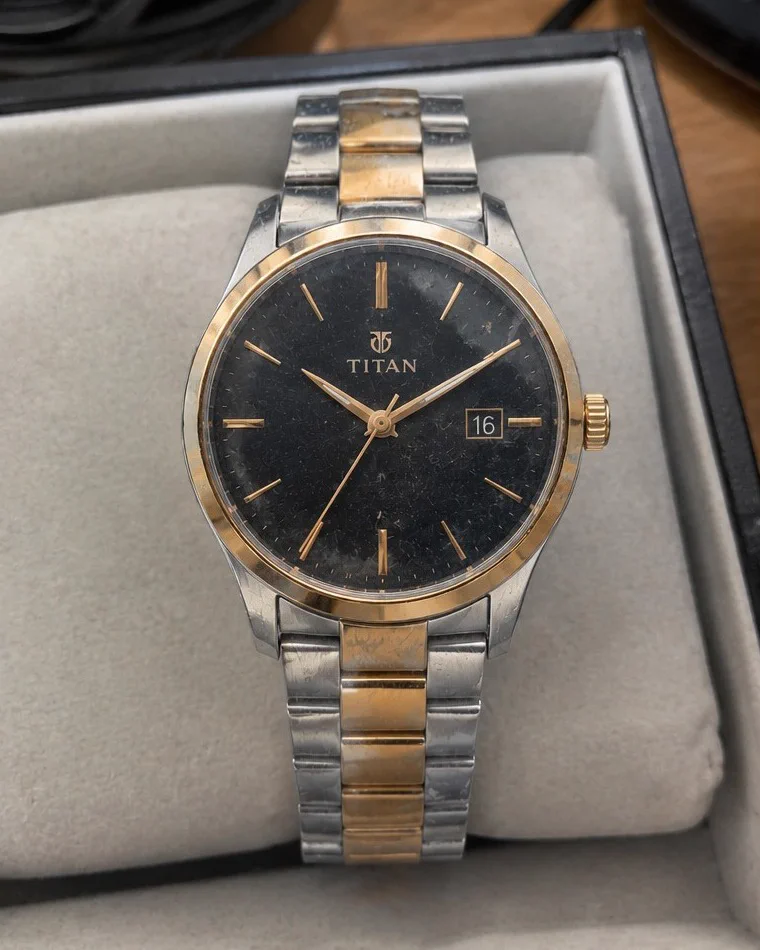 Before (Raw Macro)
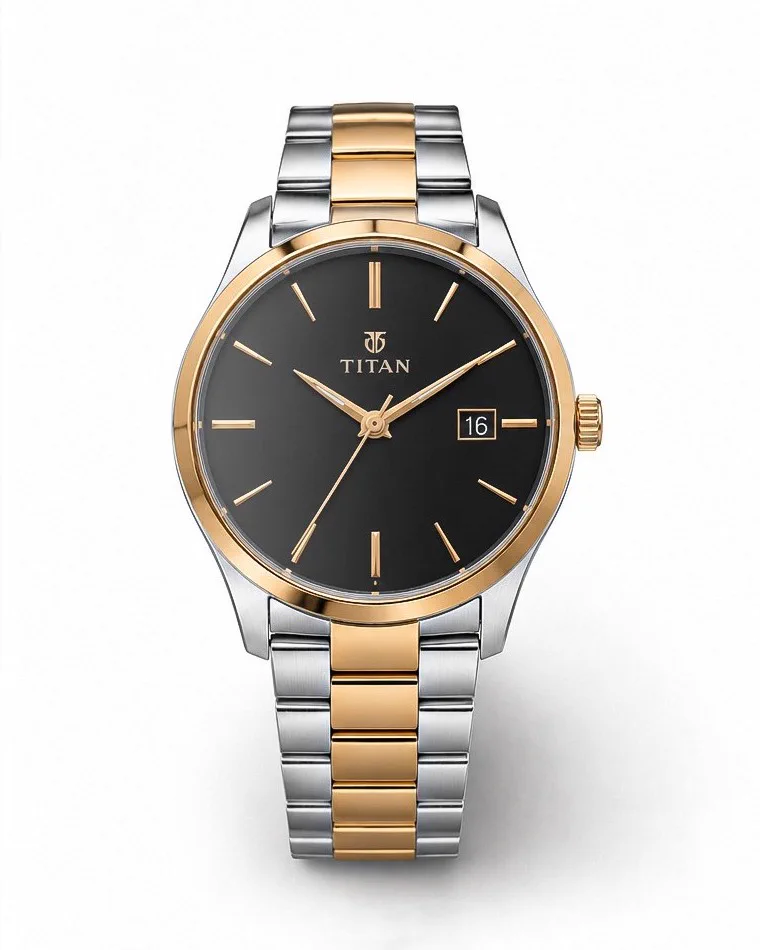 After (Manual Polish)
Beauty, Editorial & Corporate Headshot Retouching
Whether you are a wedding and portrait photographer in Europe looking to outsource peak-season volume, or an agency shooting executive headshots in the US, consistency is everything.
AI often alters subtle facial geometry or erases natural character lines that make a subject recognizable, triggering costly client revision requests.
Flyaway hairs are removed strand-by-strand against complex backgrounds, glasses glare is reconstructed cleanly, clothing creases are softened without losing fabric weave, and skin looks rested rather than airbrushed.
Commercial E-Commerce Product & Apparel Retouching
From cosmetics packaging to structured apparel and footwear catalogs, e-commerce buyers rely on immediate visual trust.
Automated background removal leaves jagged halos on textured knits, semi-transparent bottles, and intricate straps, failing to align silhouettes uniformly across a catalog grid.
Hand-crafted pen-tool clipping paths, symmetrical 3D ghost mannequin necklines, natural drop or reflection shadows, and strict colorway matching ensure every SKU meets Amazon, Shopify, and luxury retail standards.
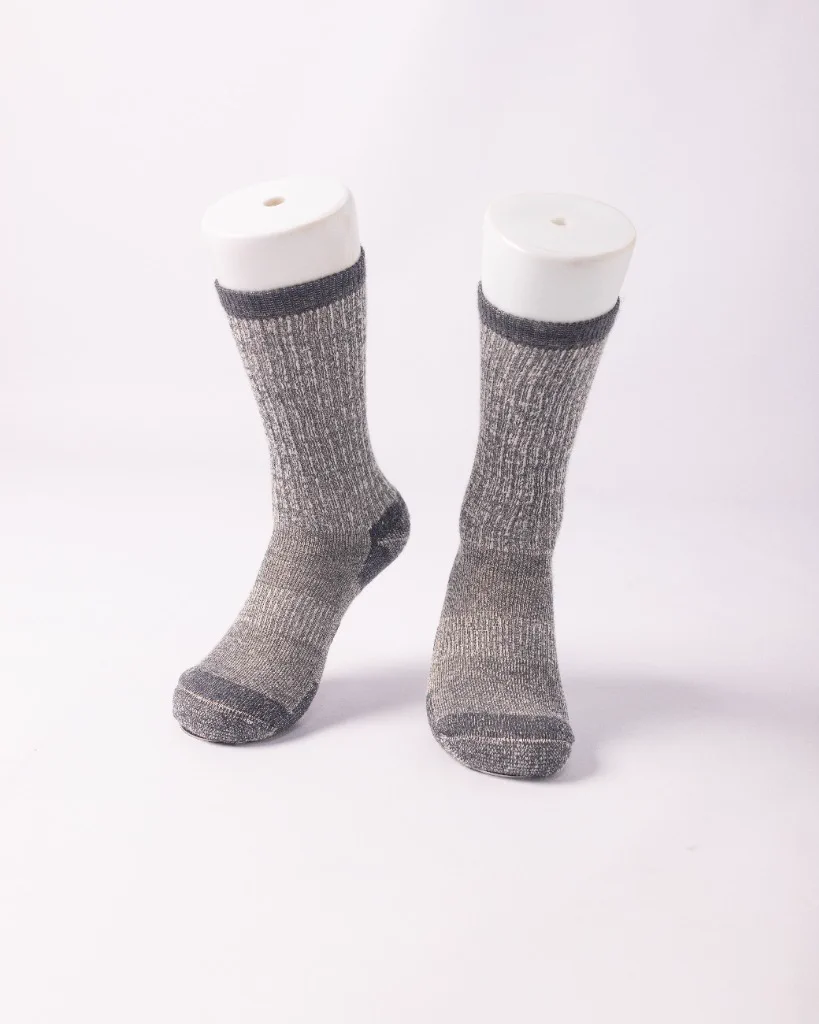 Before (On Form)
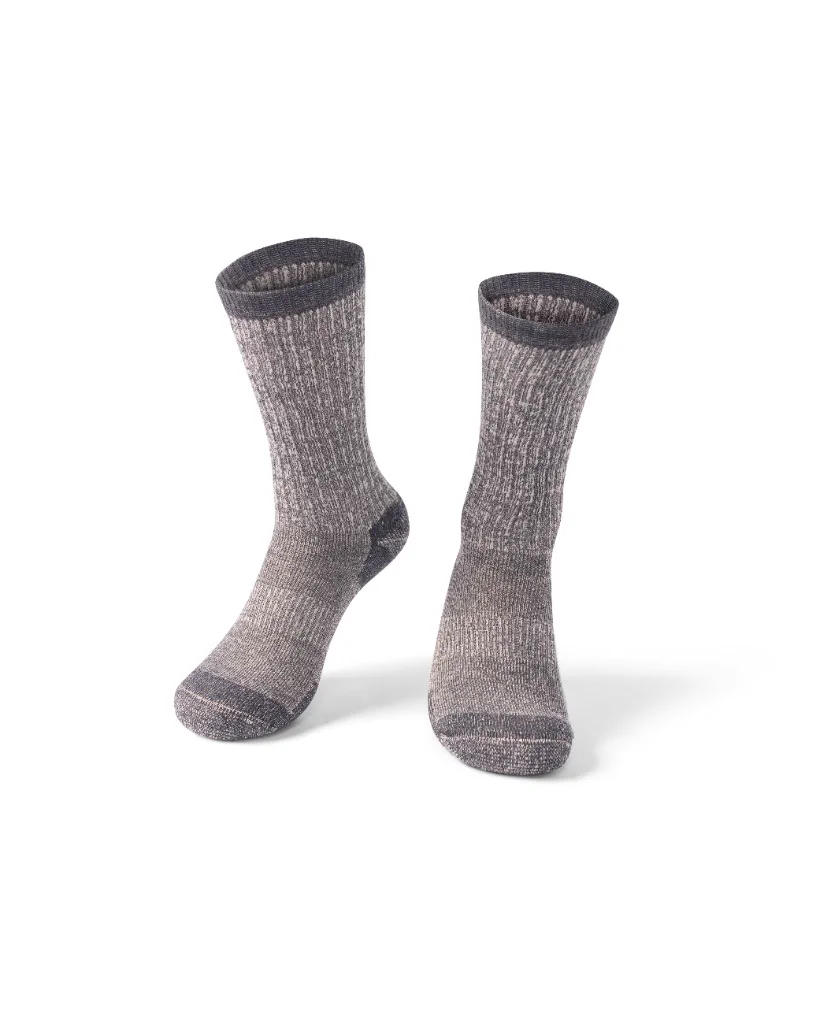 After (Ghost Mannequin)
5. How to Outsource Your Retouching Without Losing Creative Control
Many photographers and creative directors hesitate to outsource because they have been burned by low-cost “editing mills” that deliver rushed, over-filtered images. Working with a boutique, specialist-led studio like Retoucher Shoaib eliminates that risk.
When evaluating a private photo retoucher or dedicated studio team, look for these four non-negotiable benchmarks:
- Interactive Zoom & Full-Resolution Proof Never judge a retoucher solely by compressed social thumbnails. Use our 200% Zoom Loupe inspector above along with the full-resolution Before/After comparisons across our Services and Selected Work portfolio to audit skin pores and metallic reflections up close.
- Scalable Capacity with Single-Point Quality Control Whether you need 5 hero campaign portraits or a batch of 200+ e-commerce products within a tight 12 to 24 hour window, a structured collective of 10–15 senior retouchers led by founder Shoaib Siddique guarantees both speed and uniform quality.
- Non-Destructive Test Batch A reliable retouching partner will match your exact color profile, LUTs, layered PSD preferences, and markup notes on a complimentary trial image before you commit to a larger volume.
- Direct, Time-Zone Friendly Communication Consistent overlap with US (New York / Los Angeles) and European (London / Berlin / Milan / Paris) studio hours ensures client launch deadlines are never missed.
Frequently Asked Questions (FAQ)
How much does professional high-end photo retouching cost compared to AI tools?
Can you match my existing photography editing style?
What file formats do you accept and deliver?
Ready to Elevate Your Visuals? Test Our Workflow Today
Stop spending late nights fixing algorithmic mistakes or losing e-commerce sales to unpolished product photos. Whether you need pixel-perfect 16-bit dodge and burn beauty retouching, intricate macro jewelry finishing, or scalable e-commerce product editing, Shoaib’s senior team is ready to integrate directly into your pipeline.
Send 1–2 RAW or high-res files along with your brief via our quote form or WhatsApp, and receive a full non-destructive proof within 12 to 24 hours.