3D Ghost Mannequin Retouching: Symmetrical Neck Joins & Compliance Standards
Flat tabletop product photography flattens tailoring, while live fashion models often introduce unwanted styling distractions and costly recurring licensing fees (or require continuous model & beauty portrait retouching). The 3D invisible ghost mannequin effect is the definitive standard for luxury suiting, outerwear, and high-volume e-commerce catalogs.
Here is the exact studio post-production methodology to composite seamless collar joins, balance garment symmetry without killing fabric drape, and satisfy strict Amazon, Zalando, and Farfetch white-background compliance guidelines.
1. The Physics of the Hollow 3D Illusion: Why 2D Flat Lays Fail Luxury Apparel
In commercial apparel photography, creative directors face an ongoing dilemma: on-model photography creates lifestyle aspiration but requires expensive recurring casting, hair and makeup, and model usage rights. On the opposite end, flat-lay or tabletop photography collapses the structural architecture of tailored garments. When an ivory dinner jacket, tailored blazer, or structured dress is photographed flat on a table, the shoulder pads deform, the rolling lapels flatten, and the sleeves bunch awkwardly at the elbows.
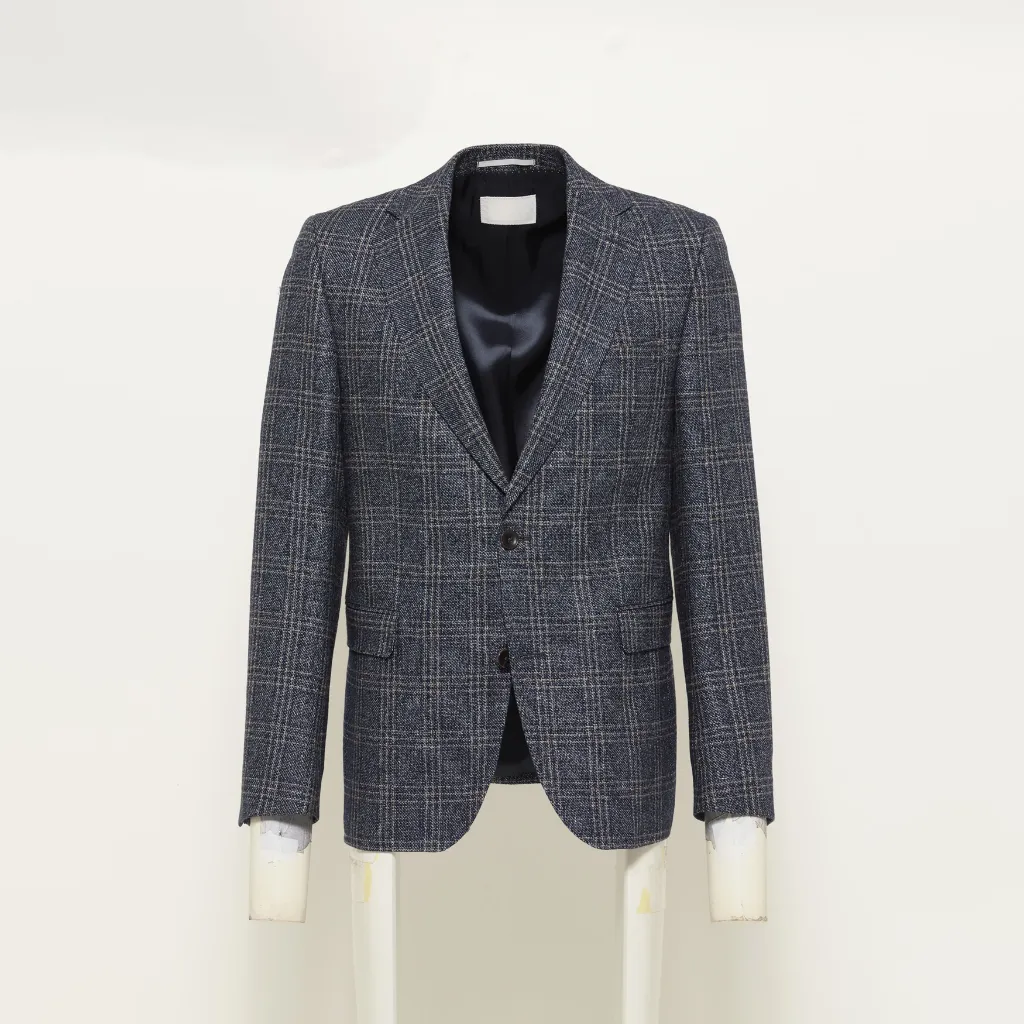
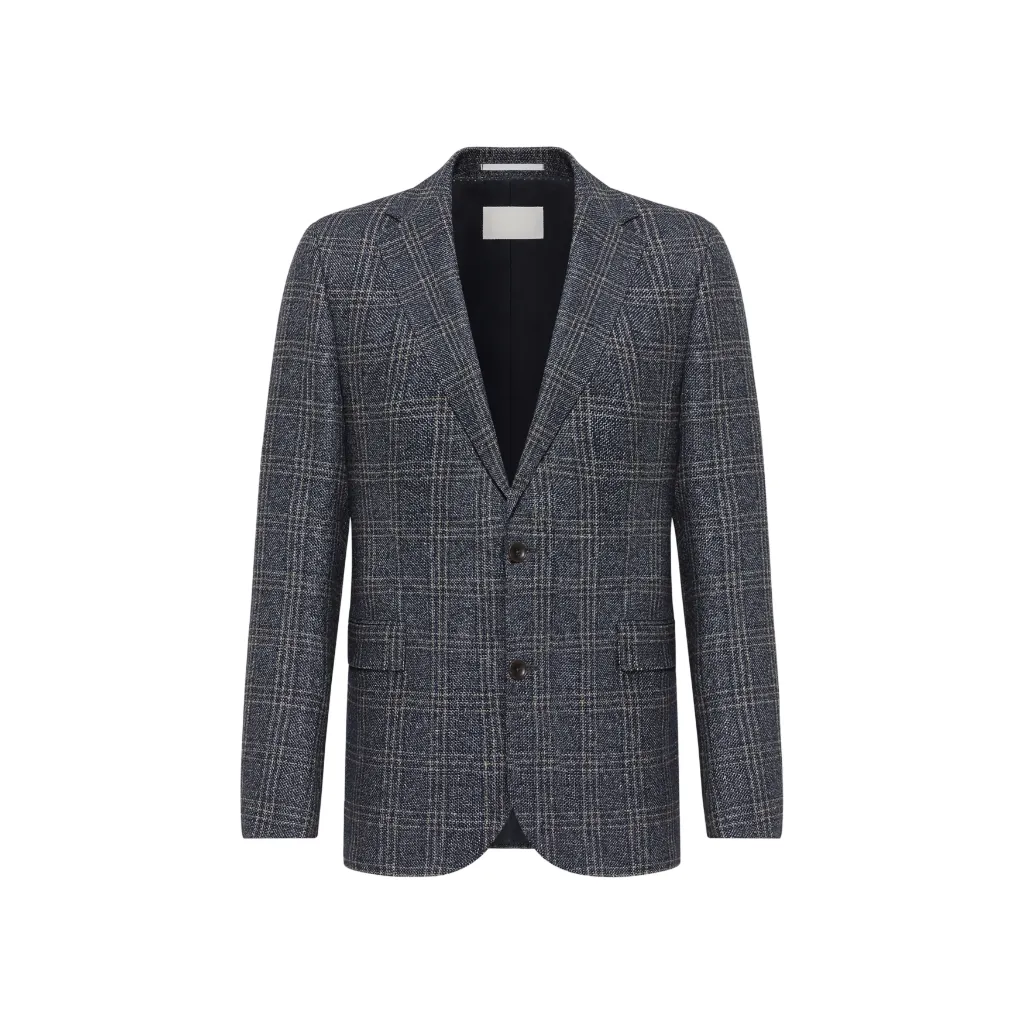
The 3D ghost mannequin effect (also known as the invisible hollow mannequin technique) bridges this gap. By photographing the garment on a physical modular mannequin and shooting a separate secondary exposure of the interior neck collar, our studio seamlessly merges the two files in Adobe Photoshop. The result is a sculptural, three-dimensional silhouette that presents clothes exactly as they drape on the human body—without the visual distraction of plastic necks, stands, or mannequin seams.
2. Anatomy of the Neck Join: Step-by-Step Technical Execution
A successful ghost mannequin composite depends entirely on the precision of the inner neck join. Amateur retouchers often make the mistake of simply cutting out the rear collar and pasting it behind the front garment plate. This produces an unnatural, flat "paper doll" appearance because it ignores the natural curvature of the cervical spine and the dimensional shadow falloff inside the chest cavity.
In our studio, we execute neck joints through a strict four-layer non-destructive workflow:
- Vector Pen Tool Isolation (Front Plate): We trace the front garment with the Photoshop Pen Tool at 300% zoom. The path is inset by exactly 0.5 pixels inside the fabric edge to eliminate chromatic aberration fringing from studio strobe lights. We cleanly excise the plastic mannequin neck while retaining the natural weave fringes of the lapel collars.
- Interior Lining Plate Extraction: We isolate the secondary exposure showing the inside back collar, brand tag, and care embroidery. This plate is positioned on a layer below the front garment.
- Perspective Warping & Vector Alignment: Real clothing bends naturally around the neck. Using Photoshop's Perspective Warp engine (Adobe Help) and subtle Free Transform adjustments, we align the interior stitching to mirror the natural downward curve of the front collar line.
-
Two-Stage Cavity Shadow Modeling: Light falling inside a hollow garment does not terminate abruptly. We construct a multi-step soft shadow:
- Contact Occlusion: A tight 2–4px gaussian blur shadow directly beneath the rear collar fold (Opacity: 25%, Blend Mode: Multiply).
- Cavity Ambient Falloff: A broad, gradient-masked soft shadow simulating the natural drop-off of light into the chest interior (Opacity: 8–12%, Blend Mode: Soft Light).
"Automated AI background removal tools often hallucinate or blur brand embroidery tags during neck join compositing. As demonstrated in our benchmark study on AI Photo Retouching vs. Manual Dodge and Burn, automated algorithms cannot comprehend micro-stitch topography. For luxury labels, the typography, stitch density, and gold thread of the interior brand label must remain razor-sharp. If the secondary inner collar shot was lit with a different color temperature, we apply selective Curves color matching to harmonize the front and inner plates."
3. Symmetry vs. Organic Drape: The Tailoring Dilemma
One of the most delicate decisions in apparel retouching is striking the right balance between mathematical symmetry and organic fabric drape. In high-volume e-commerce catalogs (such as Amazon or ASOS), buyers expect visual uniformity: equal sleeve lengths, aligned shoulder slopes, and centered button stances.
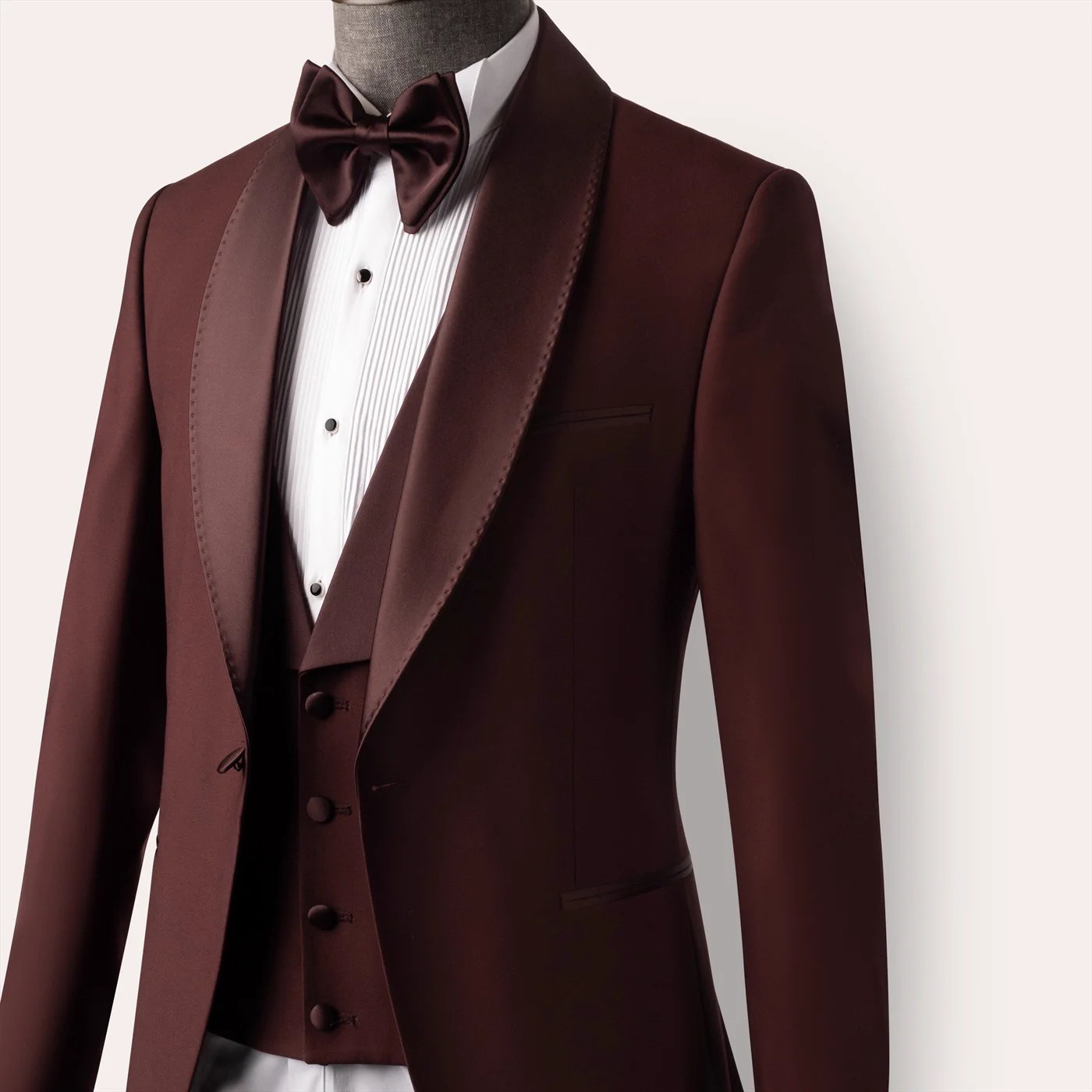
However, when working with high-end luxury suiting—such as our portfolio work for Aristocracy London—aggressive, automated symmetry adjustments will destroy the tailoring. Bespoke suits feature canvassed chests, roped shoulder heads, and rolling lapels designed to move dynamically. If a retoucher forces exact mirror symmetry using Liquify, the fabric texture stretches unnaturally, the waist suppression looks artificial, and the garment loses its premium handcrafted value. (To explore how our studio balances tailored silhouettes across all categories, review our commercial retouching services overview).
Studio Symmetrical Alignment Framework
To achieve commercial balance without killing garment character, we employ a grid-based alignment routine:
- Shoulder Plumb Line: We pull horizontal guide rules across the acromion shoulder points. If one shoulder was pinned 15mm lower during the shoot, we gently lift the lower shoulder using Free Transform with a feathered vector mask, rather than warping the collar.
- Lapel V-Shape Alignment: The notch or peak lapels are balanced so their angles mirror each other symmetrically while retaining the natural roll of the chest canvassing.
- Hemline & Vent Straightening: Bottom jacket hems and dress shirt tails are leveled horizontally, leaving subtle tension folds where the fabric naturally breaks over the hips.
4. E-Commerce Marketplace Compliance Matrix
Every major commercial platform enforces strict image standards for apparel vendors. Failing a platform's technical check can lead to suspended product listings, lost revenue, and poor algorithmic reach. Here is how our studio tailors ghost mannequin post-production to the major global marketplaces (see our dedicated Ghost Mannequin Service Page for complete turnaround rates and scope tiers):
| Marketplace | Background Spec | Crop & Fill Ratio | Shadow Treatment | Color Space |
|---|---|---|---|---|
| Amazon Vendor / Seller Official Amazon Standards ↗ |
Pure #FFFFFF (RGB 255,255,255) Zero color tint or gradient. |
85% of total frame fill. Minimum 1600px longest side for zoom. | No cast shadows on primary main image. Clean grounding only. | sRGB IEC61966-2.1 (ICC). Max file size: 10MB. |
| Zalando Partner Program Official Zalando Specs ↗ |
Soft White to Light Gray #F5F5F5 acceptable for editorial feel. |
Vertical 5:7 aspect ratio (minimum 1800 x 2520px). | Soft natural contact shadow mandatory to ground garment. | sRGB with strictly controlled skin & fabric Delta-E. |
| Farfetch & Net-a-Porter | High-Fashion Clean Consistent off-white or studio cyc. |
High-density 4:5 or 3:4 portrait crops. | Subtle directional studio shadow matching campaign lighting. | Adobe RGB 1998 / sRGB master assets. |
| Shopify / Direct-to-Consumer | Flexible Brand Palette Custom hex codes or transparent PNG. |
Square 1:1 (2048 x 2048px) or 4:5 mobile-first portrait. | Natural drop shadow or floating drop shadow options. | sRGB optimized WebP & JPEG versions. |
5. Tackling Complex Fabrics: Velvet, Sheer Chiffon & Heavy Knits
Different textiles react differently to light, camera sensors, and clipping paths. A standardized, one-click filter will inevitably fail when transitioning between materials:
A. Velvet, Suede & Corduroy Sheen
Plush fabrics have directional pile that reflects light unevenly. Automated clipping paths frequently confuse the soft velvet micro-fuzz with background noise, carving harsh, jagged steps along the shoulder seams. We use high-precision pen paths paired with feathered layer masks to retain the soft textural halo of the pile without leaving colored studio spill.
B. Sheer Chiffon & Translucent Silk
When shooting semi-transparent fabrics (such as evening gowns or organza blouses), the rear interior of the garment is visible through the front layer. Removing the mannequin cannot be done with a simple white fill; the back lining, shoulder seams, and inner seams must be composited with accurate layer blending modes (typically Multiply at varying opacities) to maintain authentic transparency.
6. Production Consistency: Scaling to 500+ SKUs Without Drift
A commercial brand launching a seasonal collection of 300 to 500 SKUs cannot afford visual inconsistency. If SKU #12 is cropped 5% tighter than SKU #13, or if the shoulder height fluctuates across catalog thumbnail grids, the entire brand looks amateur.
To eliminate visual drift across large batches, our studio establishes standardized Digital Master Guides before retouching begins:
- Vertical Proportion Guides: Fixed pixel baselines for collar peaks, armpit folds, and bottom hem breaks.
- Margin Envelopes: Hard 7.5% margins from top collar to canvas edge, ensuring consistent visual weight across mobile browsing.
- Color Calibration Anchor: Every batch is color-matched against reference raw charts photographed under identical studio strobes, ensuring the navy blazer matches the navy trousers across different product pages. For enterprise catalogs preparing a multi-hundred SKU release, connect directly with our commercial production studio.
Frequently Asked Questions (FAQ)
Elevate Your Apparel Catalog: Request a Free Sample Test
Send us 2 to 3 raw apparel exposures from your upcoming collection. We will composite the seamless 3D neck joins, balance the silhouette, and return publication-ready files within 24 hours—completely free of charge.
Claim Your Free Test Retouch